Text Snippets
Text snippets are the core of Snipsy — pre-loaded text that gets delivered to the active window when you press a hotkey.

Creating a Snippet
Section titled “Creating a Snippet”Click the + button in the Text Snippets view header. Fill in:
| Field | Description |
|---|---|
| Title | A short label for the snippet |
| Description | Optional notes for yourself |
| Hotkey | Click the capture field and press your shortcut |
| Text | The content to deliver |
| Delivery | fast-type or paste (see below) |
| Type Delay | Milliseconds between keystrokes (fast-type only) |
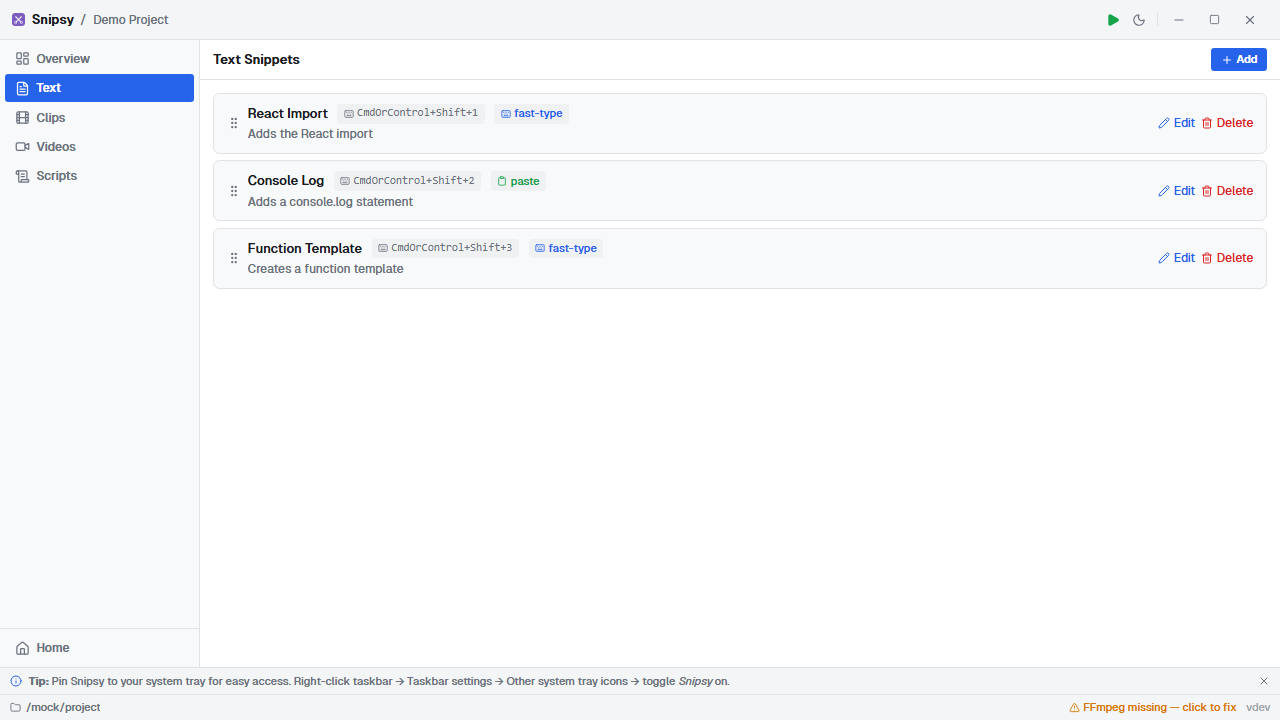
Delivery Modes
Section titled “Delivery Modes”Fast-Type
Section titled “Fast-Type”Simulates individual keystrokes as if you’re typing. This looks natural to your audience — they see text appearing character by character.
- Type Delay controls speed (default: 30ms between keys)
- Works with any application that accepts keyboard input
- Best for: code demos, terminal commands, live coding
Inserts the full text via the clipboard (Ctrl+V). Instant delivery — the entire text appears at once.
- Fastest delivery method
- Best for: large blocks of text, URLs, configuration snippets
Hotkey Format
Section titled “Hotkey Format”Hotkeys use the Tauri accelerator format:
CmdOrControl+Shift+1— works as Cmd on macOS, Ctrl on Windows/LinuxAlt+Shift+A— modifier combinations- Single keys like
F5are also supported
The hotkey capture widget records exactly what you press — no need to memorize the format.